Concept builds
Different businesses need different Command Centers.
These examples are fictional concept builds created to show what custom software can look like when it is designed around a specific business rather than forcing the business into somebody else's workflow.
Not templates. Not case studies. Possibilities.
Prairie Oak Realty
Independent real estate brokerage
A brokerage-level operating picture for an owner who needs to know what deserves attention without asking someone to assemble another report.
Owner/broker, office manager, CRM, transaction management software, accounting, transaction and commission spreadsheets, onboarding checklists, and manual weekly reporting.
Deadlines, missing items, commissions, recruiting, and production updates live across systems. Exception management depends heavily on memory and the office manager connecting the dots.
Executive attention, active transactions, closings, production, agent activity, onboarding, recruiting, exceptions, integrations, and optional Mazi assistance in one coherent view.
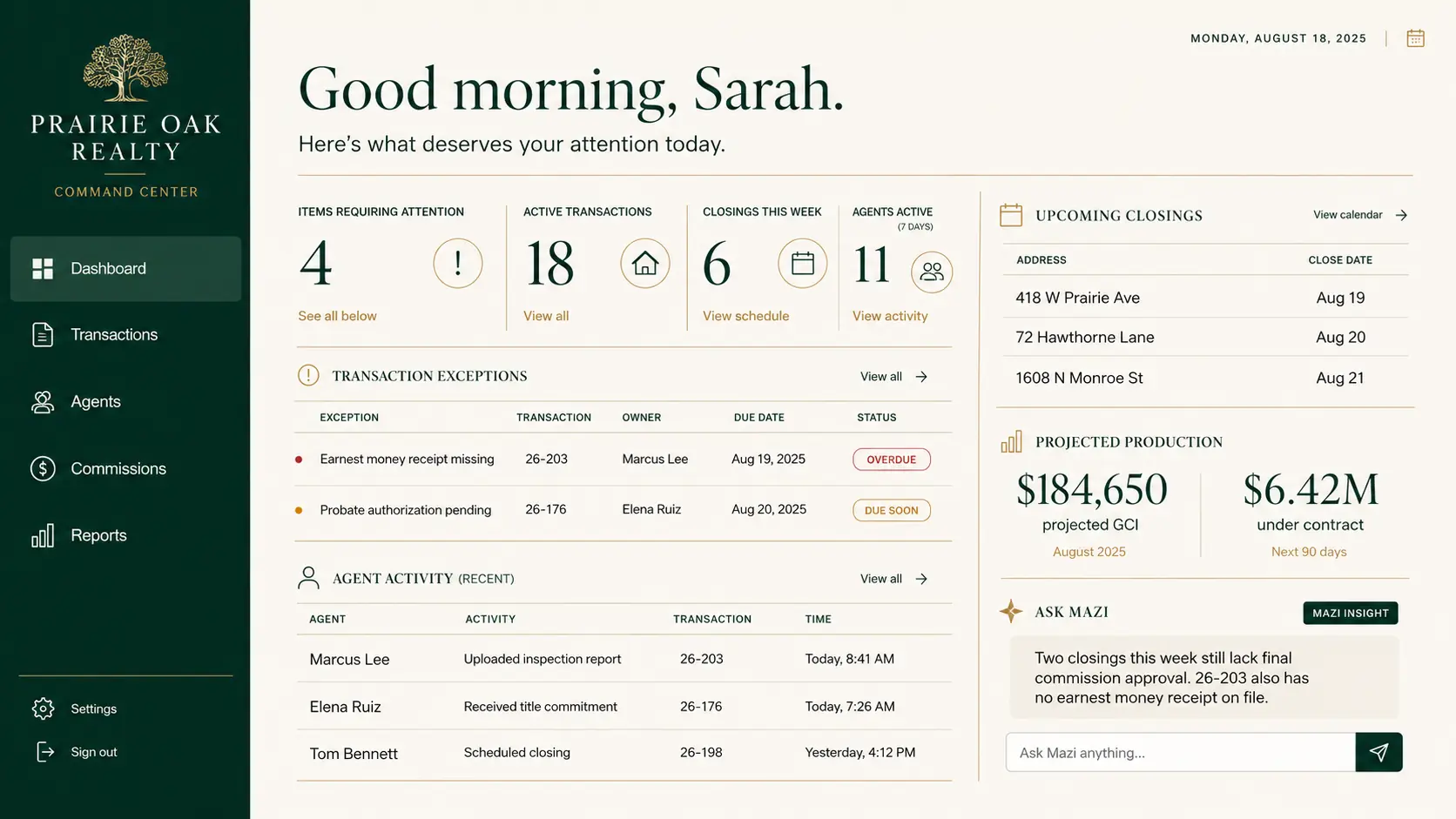
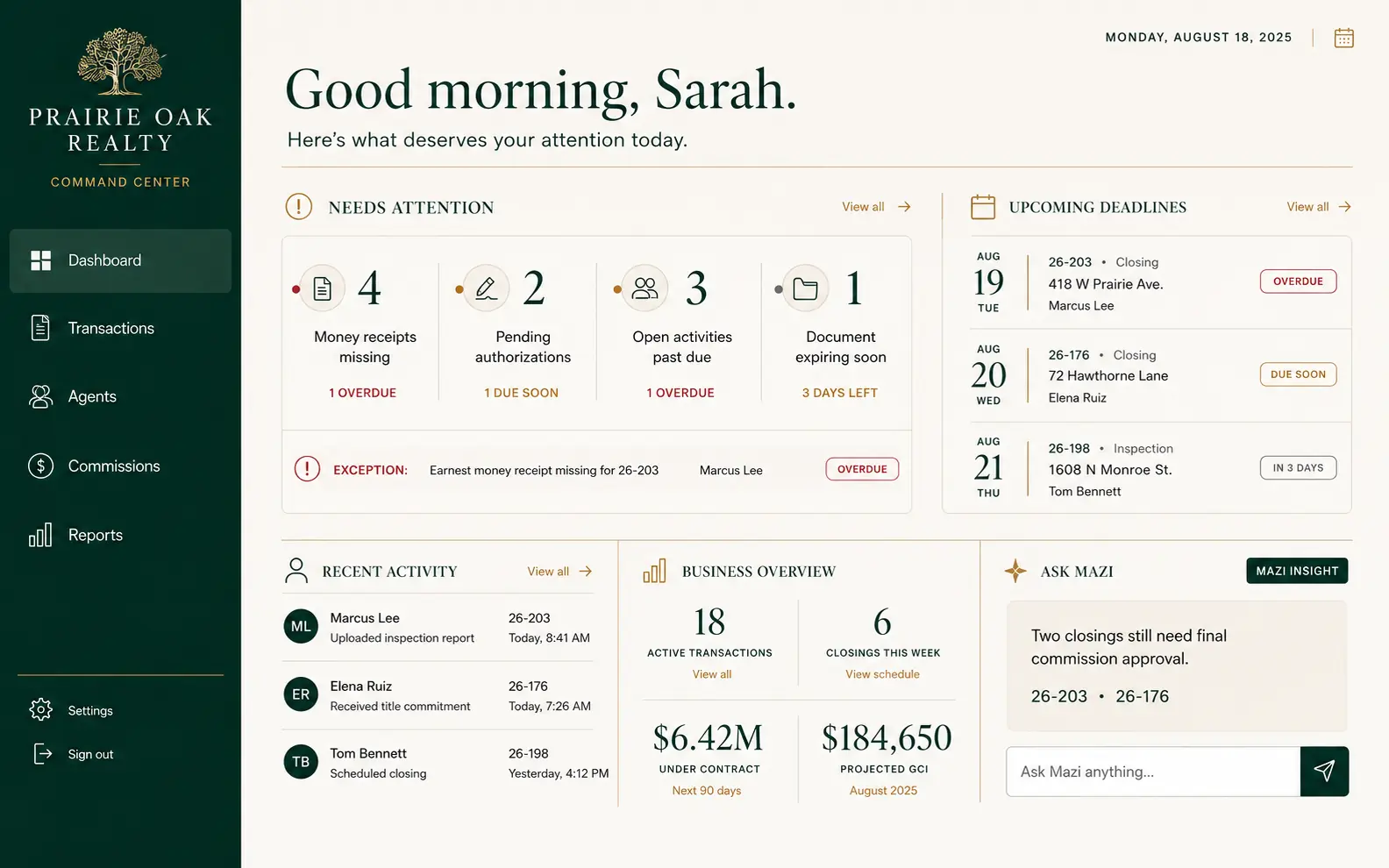
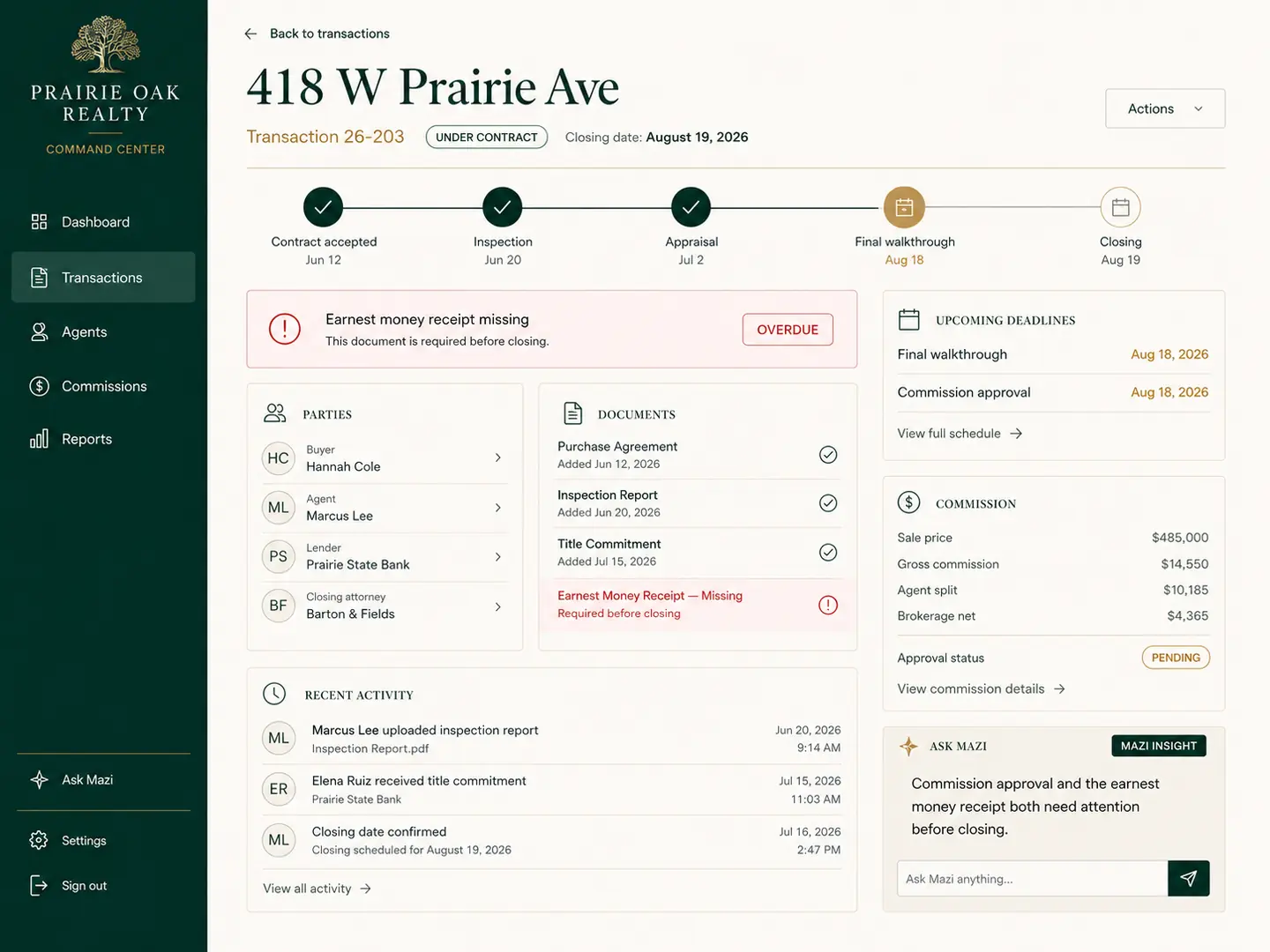
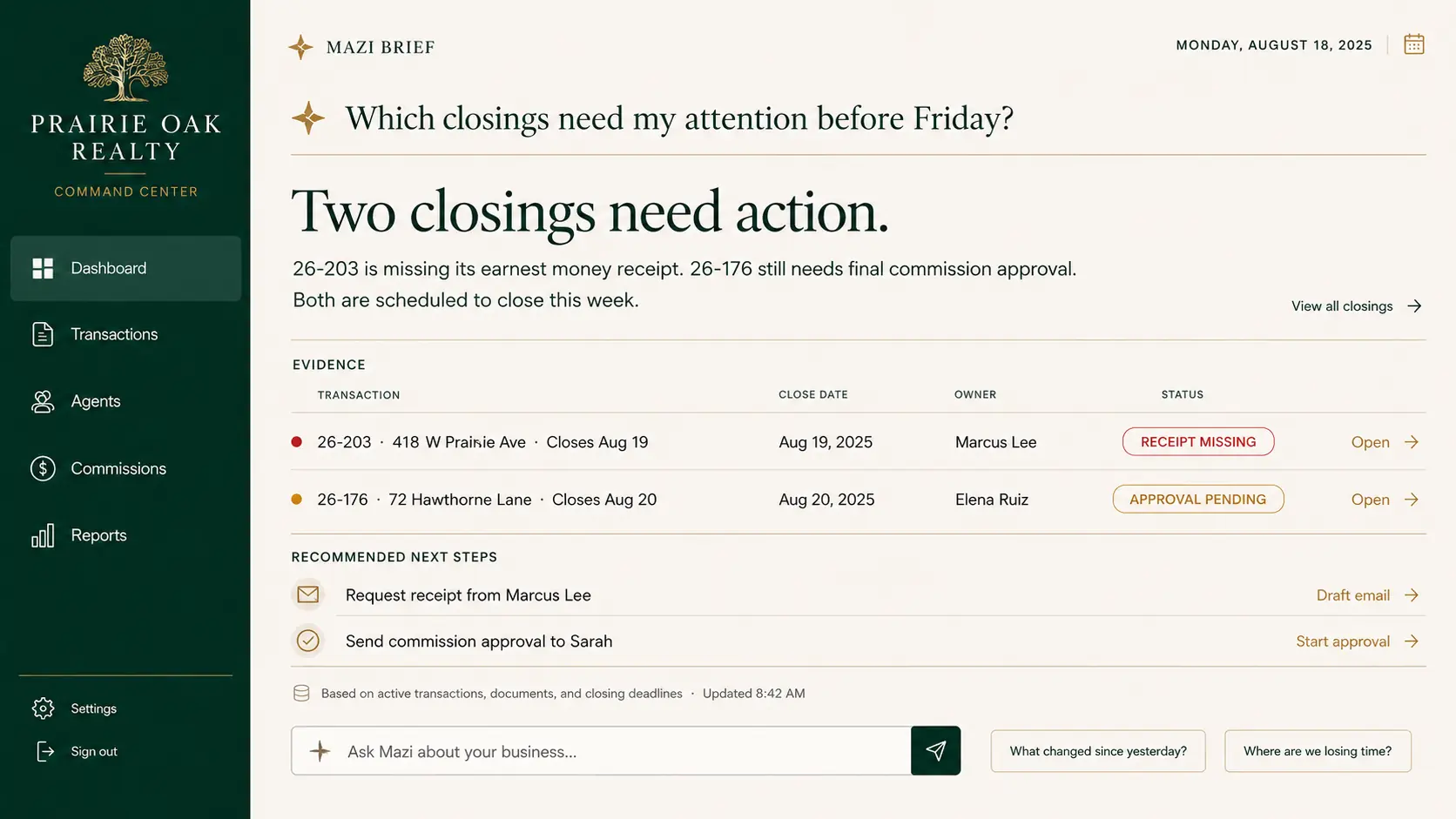
The owner knows what needs attention without asking for a report. The office manager spends less time moving information manually. Transaction exceptions surface earlier, and production and commissions become easier to understand.
Harrison Realty Group
Small real estate team / hypothetical 6-agent profile
Less executive reporting. More today, people, follow-up, listings, and the next useful action for a small team.
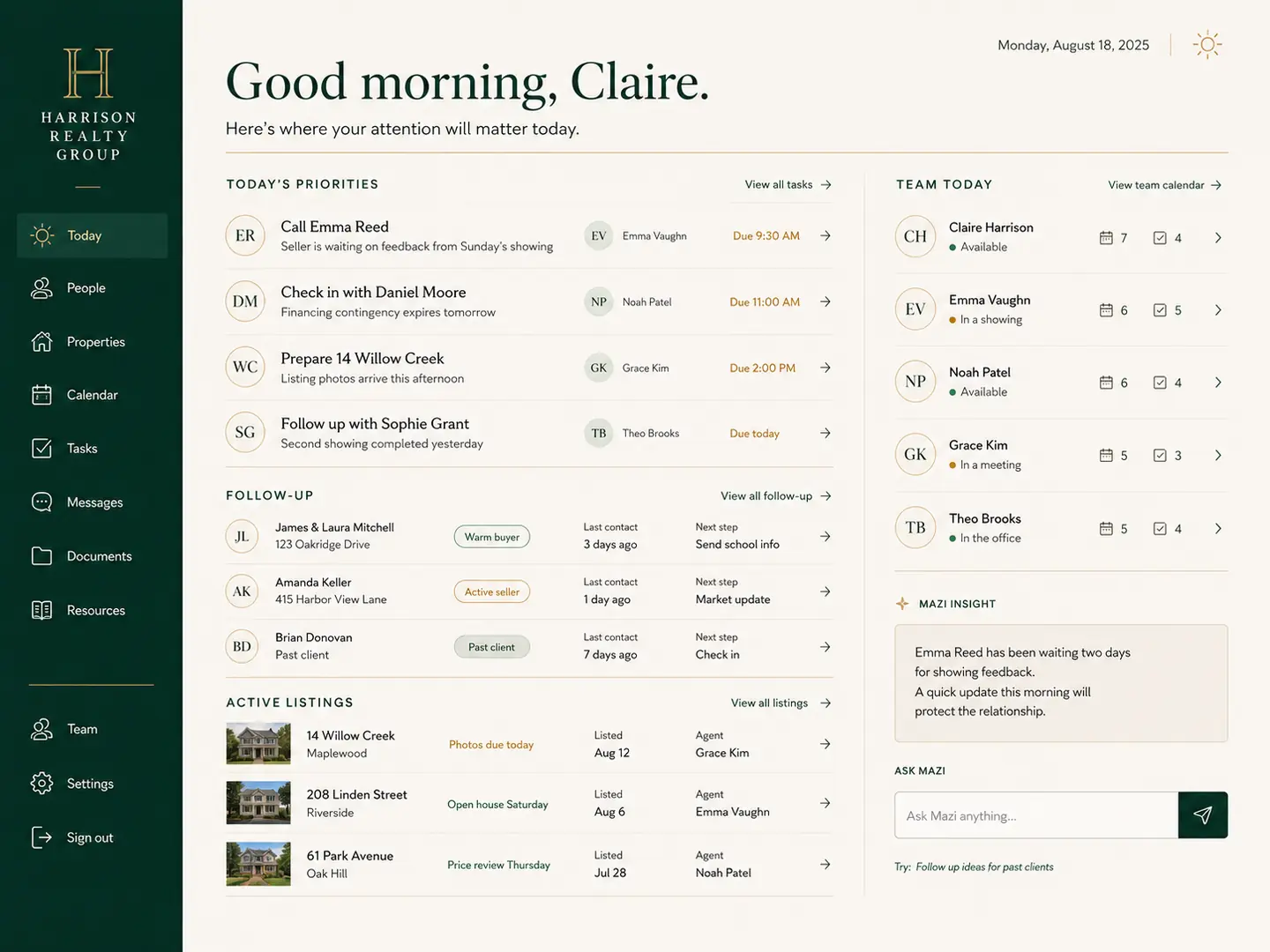
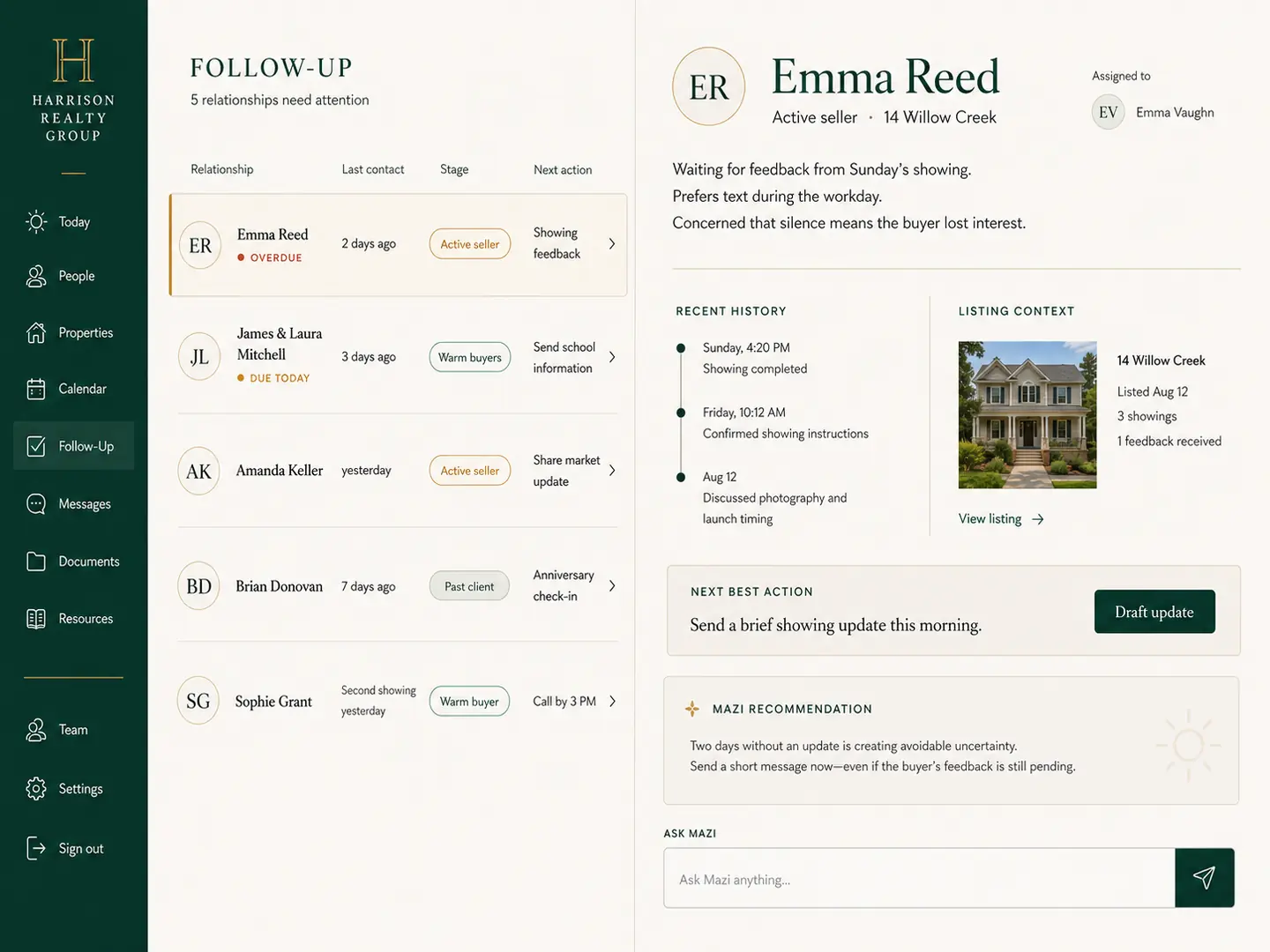
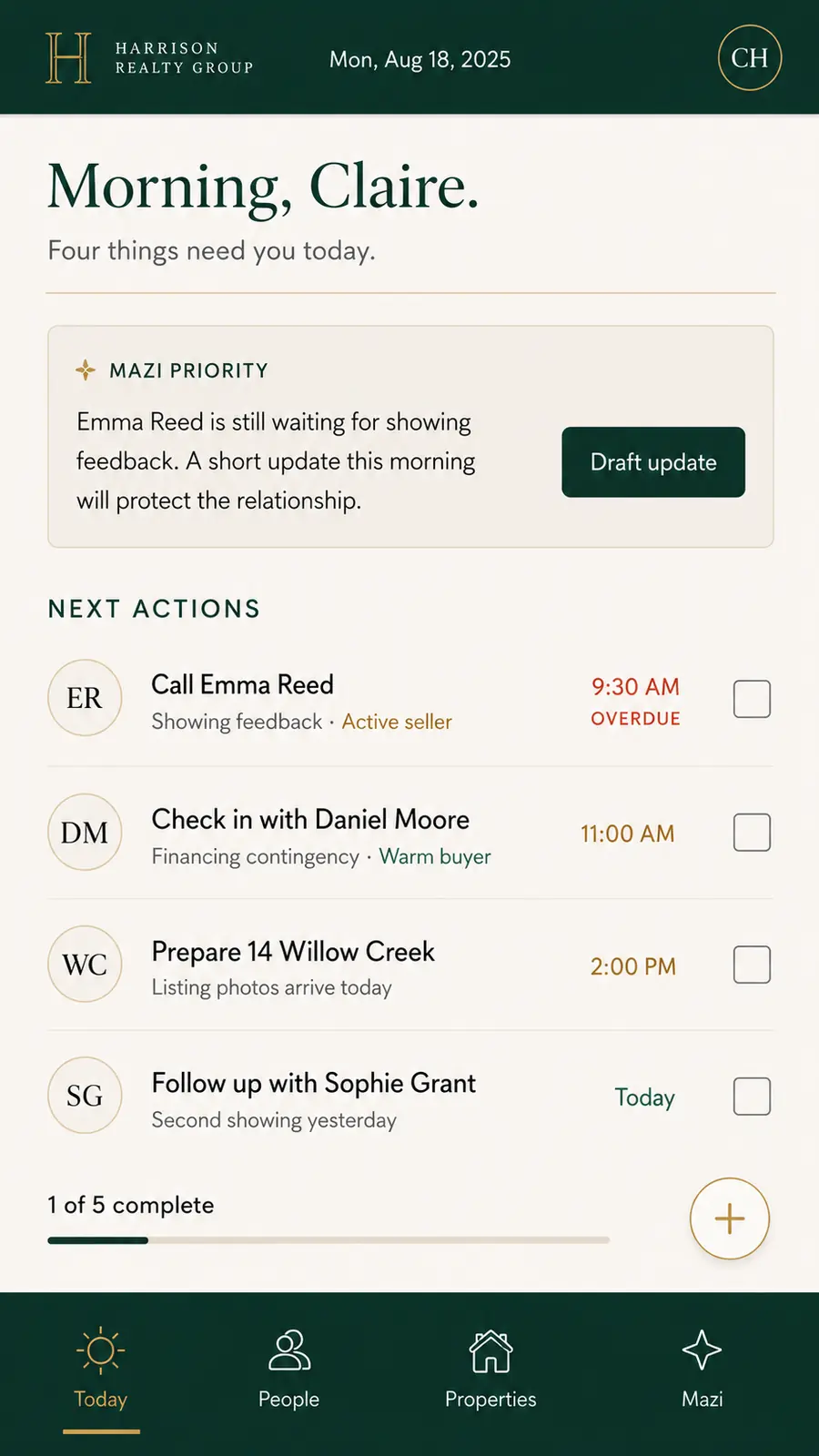
Team lead, six agents, one administrator, CRM, calendar, listing management, transaction software, and production reporting assembled manually.
New leads are present but attention is inconsistent. Buyers, sellers, listings, calendar, and personal follow-up do not feel like one system.
A Today view for lead follow-up, buyers, sellers, listings, milestones, relationships, calendar, pipeline, production, and optional Mazi assistance.
Fewer leads quietly go cold. Team members know their next actions, the lead gets a concise operating view, and less time is spent checking multiple tools.
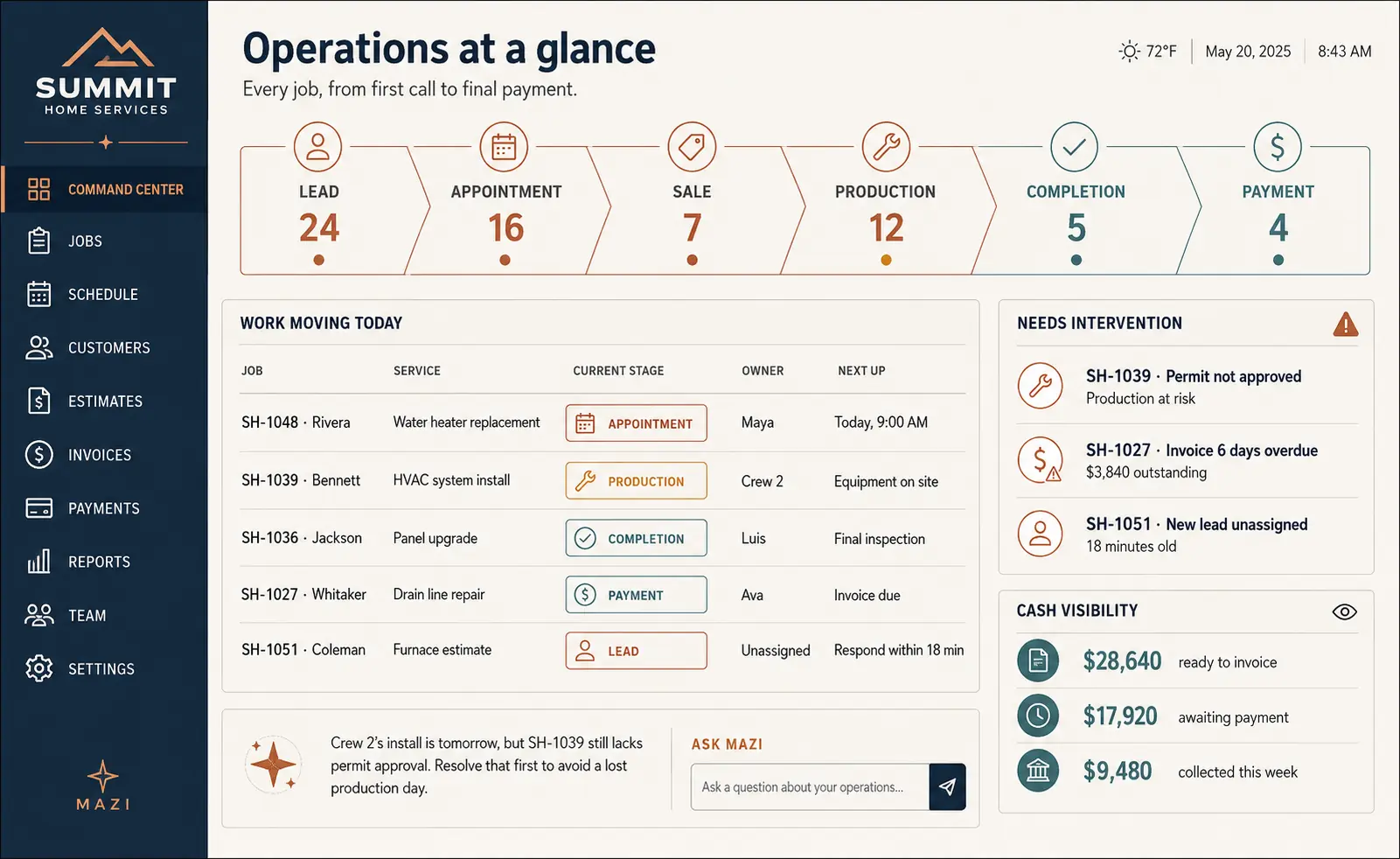
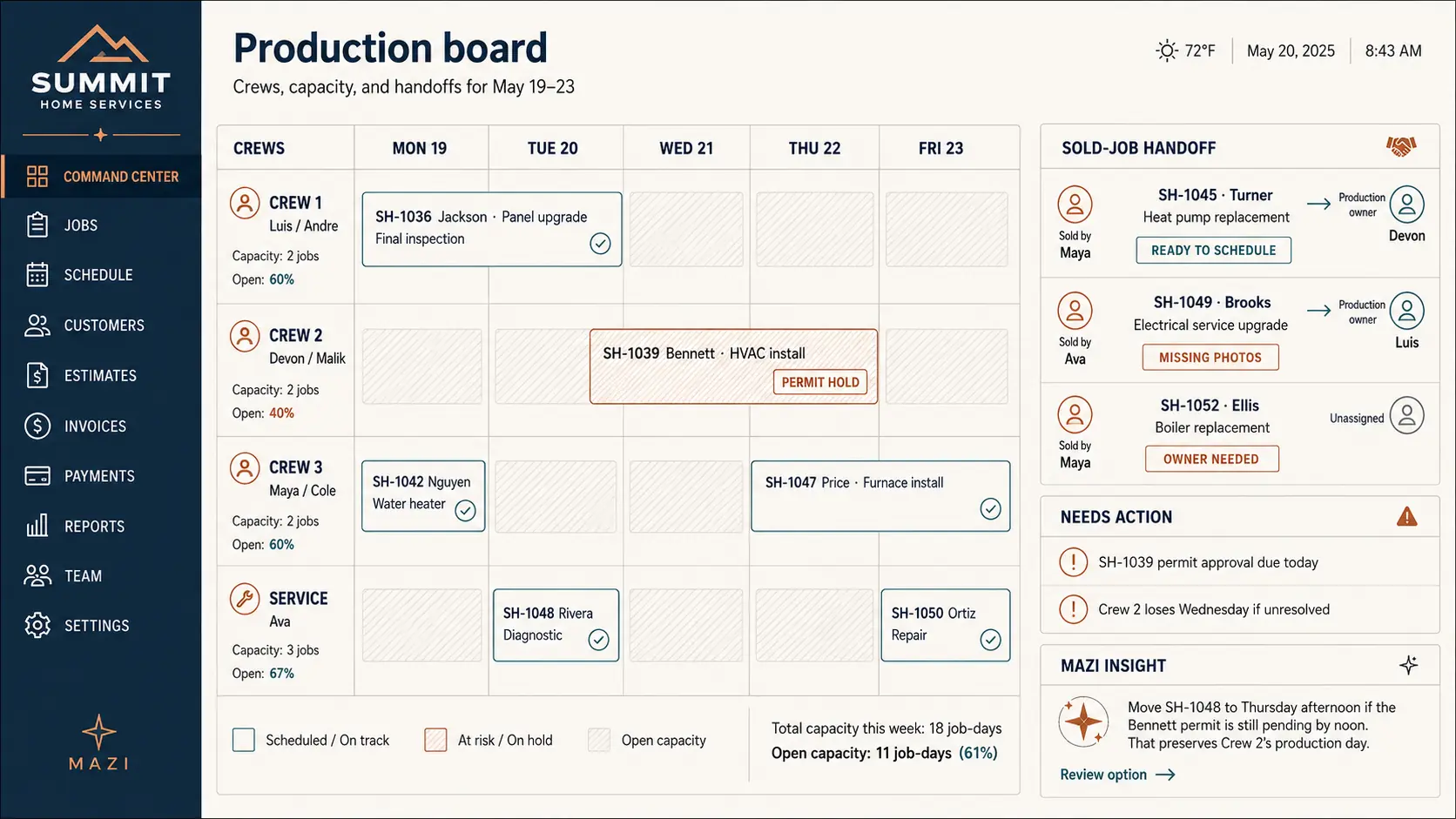
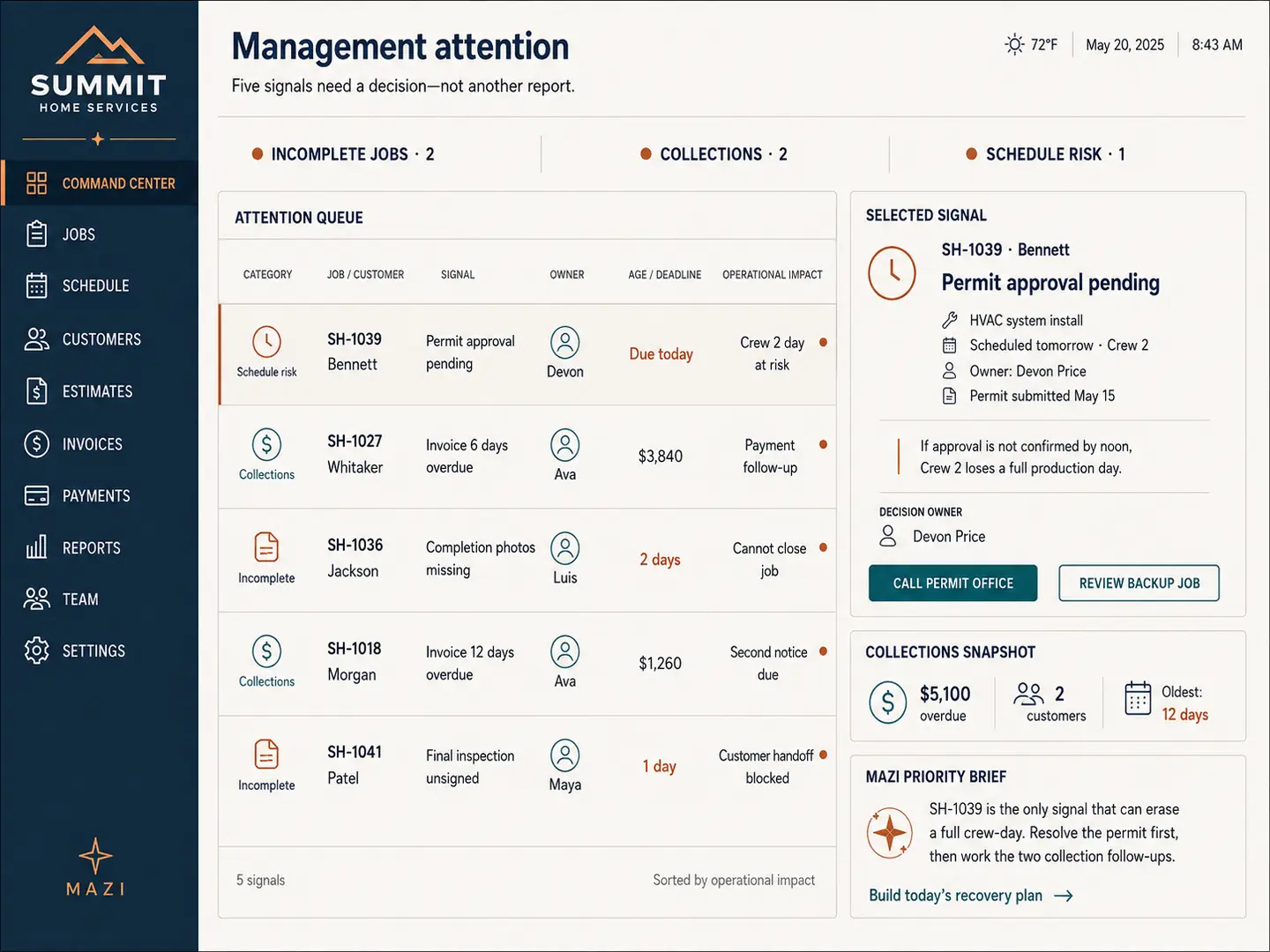
Summit Home Services
Regional home-services company / fictional adjacent-industry example
A workflow-driven Command Center that makes the full lead-to-cash operation easier to see.
Incoming leads, scheduling, sales representatives, estimates, sold jobs, production crews, collections, and multiple operational systems.
Leads enter one system, appointments live elsewhere, sold jobs require a handoff into production, and managers assemble status from different places.
Lead and appointment visibility, sales performance, sold-job handoff, production schedule, job exceptions, collections, and management attention in one operational view.
Fewer manual handoffs. Stalled jobs surface earlier. Sales and production share a picture, and customers are less likely to be the ones asking what happened.
Your version will be different
Your Command Center wouldn't look exactly like any of these.
That's the point. It would be built around your processes, your software, your terminology, your data, and your priorities.
Claim Your BlueprintLet's find out what yours should do.